
Saved Agents
Save the setup behind your best AI work
A Saved Agent keeps the model, access path, supported controls, instructions, and optional files that belong together. Use it when the quality of your work depends on a setup you do not want to rebuild every time.
- Keep model configuration and instructions together
- Attach reusable files as private send-time context
- Star an Agent as a favorite for faster switching
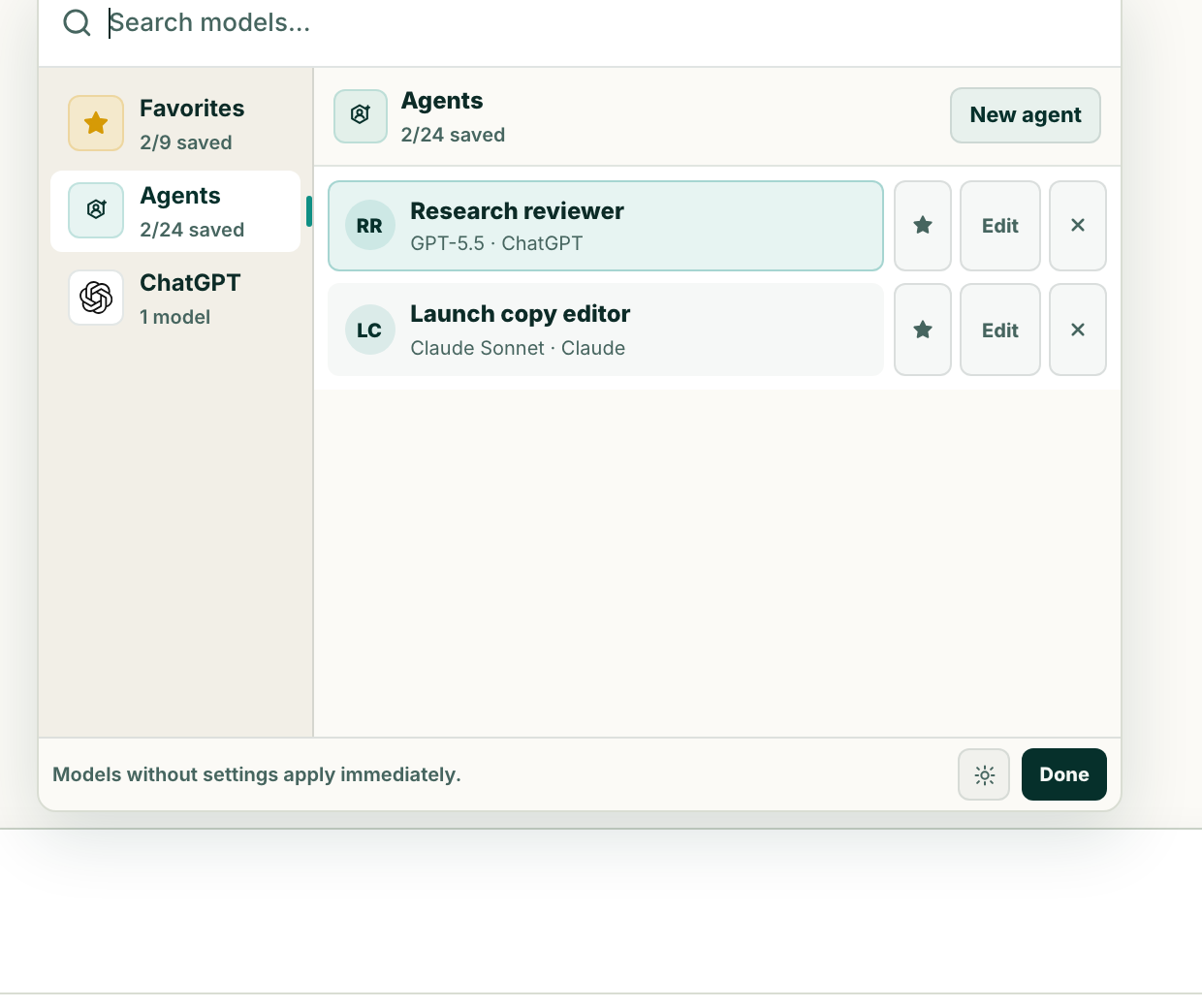
What it keeps
An Agent is a reusable working setup, not another chat
A Lerix Saved Agent stores a name, an exact model configuration, a personality or instruction prompt, and optional files. Selecting the Agent applies that setup to the chat without writing the Agent instructions as a visible user message.
- Name
- A short label that tells you when to use the Agent.
- Model configuration
- The model, access path, and supported controls such as Intelligence, Speed, or Response.
- Instructions
- The standing role, standards, tone, and constraints for this setup.
- Optional files
- Reference material that should travel with the Agent as send-time context.
The chat still has its own messages and storage mode. The Agent supplies reusable context; it does not replace the conversation.
Five-minute setup
Build an Agent around a repeatable decision
- Start with a job, not a persona.“Review product claims before publishing” is clearer than “Be a brilliant marketer.”
- Choose the model configuration.Select the model, access path, and controls that fit the job.
- Write operational instructions.Define the audience, output, standards, boundaries, and what to do when evidence is missing.
- Add only durable files.Attach references that genuinely improve repeated work, not every file that might someday be useful.
- Name it for the trigger.Use “Launch copy reviewer” or “Contract explainer,” so the right Agent is obvious in the model menu.
What job is this? Who is the output for? What standards must it follow? What should happen when information is missing or uncertain?
Starter recipes
Three Agents that earn their place
Research reviewer
Separates confirmed facts, inference, and missing evidence; checks whether a recommendation survives its strongest counterargument.
Launch copy editor
Uses your voice guide and product facts to tighten copy without inventing pricing, availability, customer proof, or roadmap promises.
Plain-language explainer
Turns technical source material into an explanation for a named audience, preserves caveats, and flags terms that still need definition.
These are starting points, not magic templates. Test the Agent on a real task, inspect where it drifts, and update the instructions or files instead of adding more vague personality text.
Context boundary
Agent files are private setup, but still become model context
Lerix adds an Agent's instructions and files as private send-time context. They do not appear as a normal visible chat message, but the selected AI service still receives the context needed to answer. Add only files you are comfortable sending through that model's access path.
Agent files use the same supported file types as composer attachments. Whether the surrounding chat stays on this device or syncs depends on the chat's storage mode and your Lerix plan.
- Prefer concise, current references over a large archive.
- Remove secrets and unrelated personal data before attaching a file.
- State which source should win when two files disagree.
- Revisit the Agent when its model, access path, or reference material changes.
Fast switching
Star an Agent without losing what makes it an Agent
A Saved Agent can be starred as a favorite. Choosing that favorite preserves the Agent name, instructions, files, model, and access path together; it does not flatten the Agent into a plain model shortcut.
Agent favorites can also participate in multi-model responses. The Agent-specific instructions and files stay attached to that Agent's response rather than becoming shared context for every comparison target.
Saved Agents are included with Lerix Pro. See the current Pro plan details and favorite model config behavior.
Frequently asked questions
Short answers to the details people usually need before choosing this workflow.
What does a Lerix Saved Agent store?
A Saved Agent keeps a name, exact model configuration, personality or instruction prompt, and optional files together.
Do Saved Agent instructions appear in the chat?
No. Lerix adds the instructions and Agent files as private send-time context rather than writing the Agent prompt as a visible chat message.
Are Saved Agents available on the free plan?
No. Saved Agents are a Lerix Pro feature. Free accounts include encrypted API-key sync, while Pro adds Saved Agents and encrypted workspace sync.
Can I compare a Saved Agent with another model?
Yes. A Saved Agent can be used as a multi-model comparison target. Its instructions and files apply to its own response.
Put Saved Agents to work
Open Lerix, connect the access path you intend to use, and start with a small real task. Your AI-service account and usage billing remain separate from Lerix.