
Chat storage
Choose how Lerix keeps each AI chat
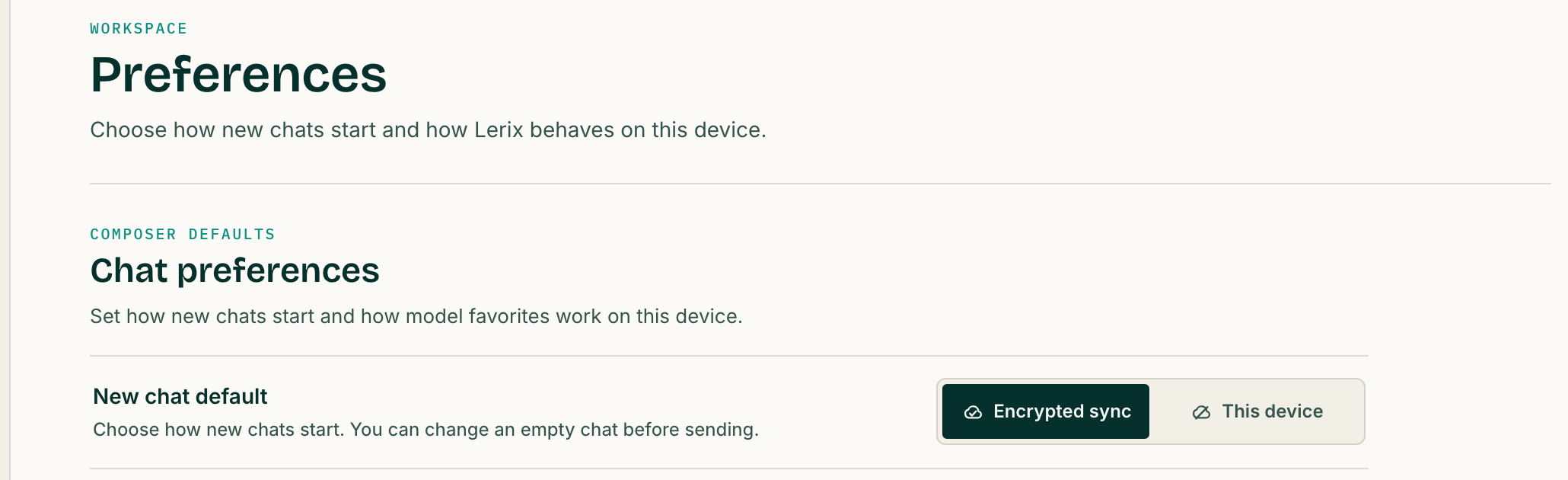
Set one default for normal new chats: encrypted sync across your signed-in devices or history on this device only. When you do not want a normal history entry at all, turn on Temporary Chat before sending.
- One clear default for normal new chats
- Change an empty chat before the first message
- Use Temporary Chat only when you want no normal history entry
Start with a default
Most people only need to make one storage decision
Open Settings → Preferences and choose how normal new chats should start. Pick Encrypted sync when you want eligible workspace data on your signed-in devices. Pick This device when normal chat history should remain on the current device.
The setting is a default, not a permanent rule. In an empty chat, you can switch between the available normal-history modes before the first message. After messages exist, Lerix prevents silent downgrades; a local-only saved chat can still be explicitly promoted to encrypted sync with a warning.
Use encrypted sync if you regularly move between signed-in devices. Use This device if the current device is the only place where you want Lerix to keep normal chat history.
Two normal-history modes
This device and encrypted sync solve different problems
| Mode | Use it when | Where Lerix keeps the chat | Account requirement |
|---|---|---|---|
| This device | You want normal history on one device only | Local storage on the current device | None |
| Encrypted sync | You want eligible chats and workspace data on signed-in devices | Encrypted on the device before Lerix account sync | Pro for chat and workspace sync |
Local-only chats are not recoverable through Lerix account sync, so use a separate device backup if the conversation matters. With encrypted sync, Lerix encrypts eligible workspace data on the device and stores ciphertext plus required sync metadata.
Free accounts include encrypted API-key sync. Pro adds encrypted sync for eligible chats, files, images, and workspace data. Current storage and attachment limits are listed in the plan comparison.
The exception
Use Temporary Chat when you do not want normal history
Temporary Chat is not another default to manage. Turn it on before the first message for a throwaway draft, quick check, or other conversation you do not want stored as normal Lerix chat history.
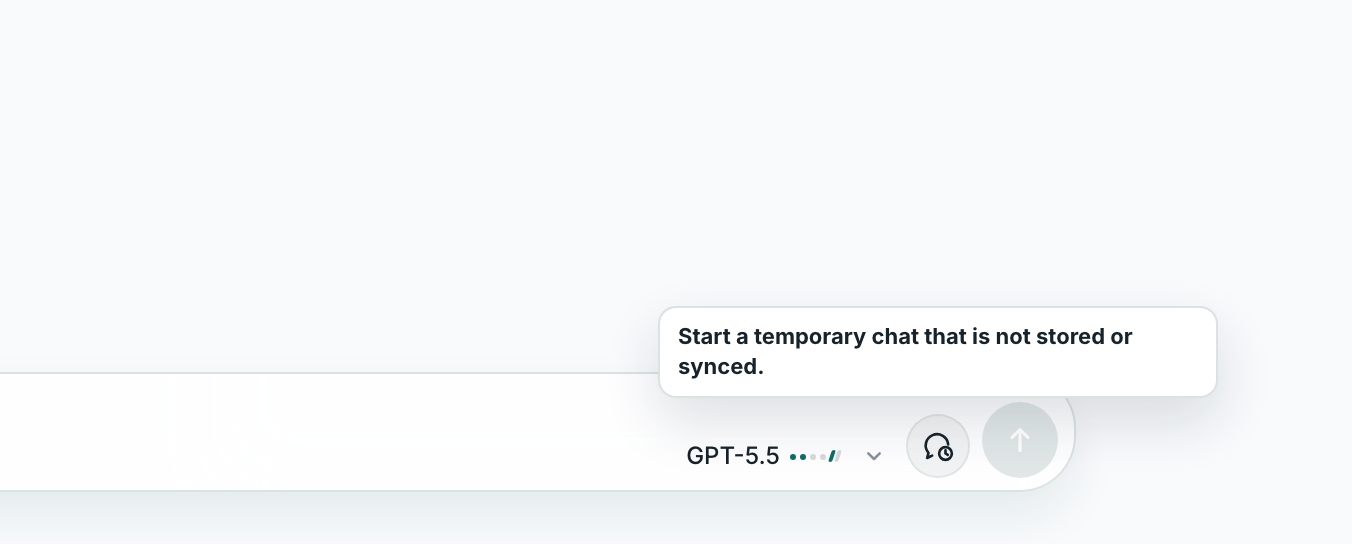
After the conversation starts, Lerix keeps the temporary state clearly labeled and does not silently turn it into a normal saved chat. Temporary Chat changes Lerix history behavior; it does not override the selected AI service's own processing or data policy.
Know the boundary
Chat storage is separate from where the model runs
The storage choice controls
- Whether Lerix keeps a normal history entry
- Whether that entry stays on this device or is eligible for encrypted sync
- Whether eligible files, images, and workspace data can appear on signed-in devices
The storage choice does not control
- The selected AI service receiving a message you send
- That AI service's account, billing, or data policy
- Whether a remote model becomes a device-local model
“This device” describes where Lerix stores the chat, not where inference happens. Cloud AI-service connections still send the selected prompt and context to that service. Compatible Ollama models in the Mac app are the separate device-local model path.
If both the Lerix password and recovery key are lost, Lerix cannot decrypt or recover the encrypted synced data.
Frequently asked questions
Short answers to the details people usually need before choosing this workflow.
Can I change the storage mode after a chat has messages?
An empty normal chat can switch either way. After messages exist, a local-only saved chat may be promoted to encrypted sync with a warning, but a synced chat cannot be made device-only and Temporary Chat cannot be turned into a saved chat.
Does Temporary Chat mean the AI service cannot retain my prompt?
No. Temporary Chat changes Lerix history and storage behavior. The selected AI service still processes the prompt and applies its own terms and data policy.
Does local-only mean the model runs on my device?
Not necessarily. Local-only describes where Lerix stores the chat. A cloud AI-service connection still sends the prompt to that service. Compatible Ollama models in the Mac app are the separate local-model path.
Can Lerix recover encrypted chats if I lose my password?
The recovery key can restore access when the Lerix password is lost. If both the Lerix password and recovery key are lost, Lerix cannot decrypt or recover the encrypted synced data.
Put Chat storage to work
Open Lerix, connect the access path you intend to use, and start with a small real task. Your AI-service account and usage billing remain separate from Lerix.